 Antimatter
Your team's chat, calls and apps, on your own server
Antimatter brings channels, threads, voice rooms, collaborative apps and AI together in one place you run yourself, with no paywall.
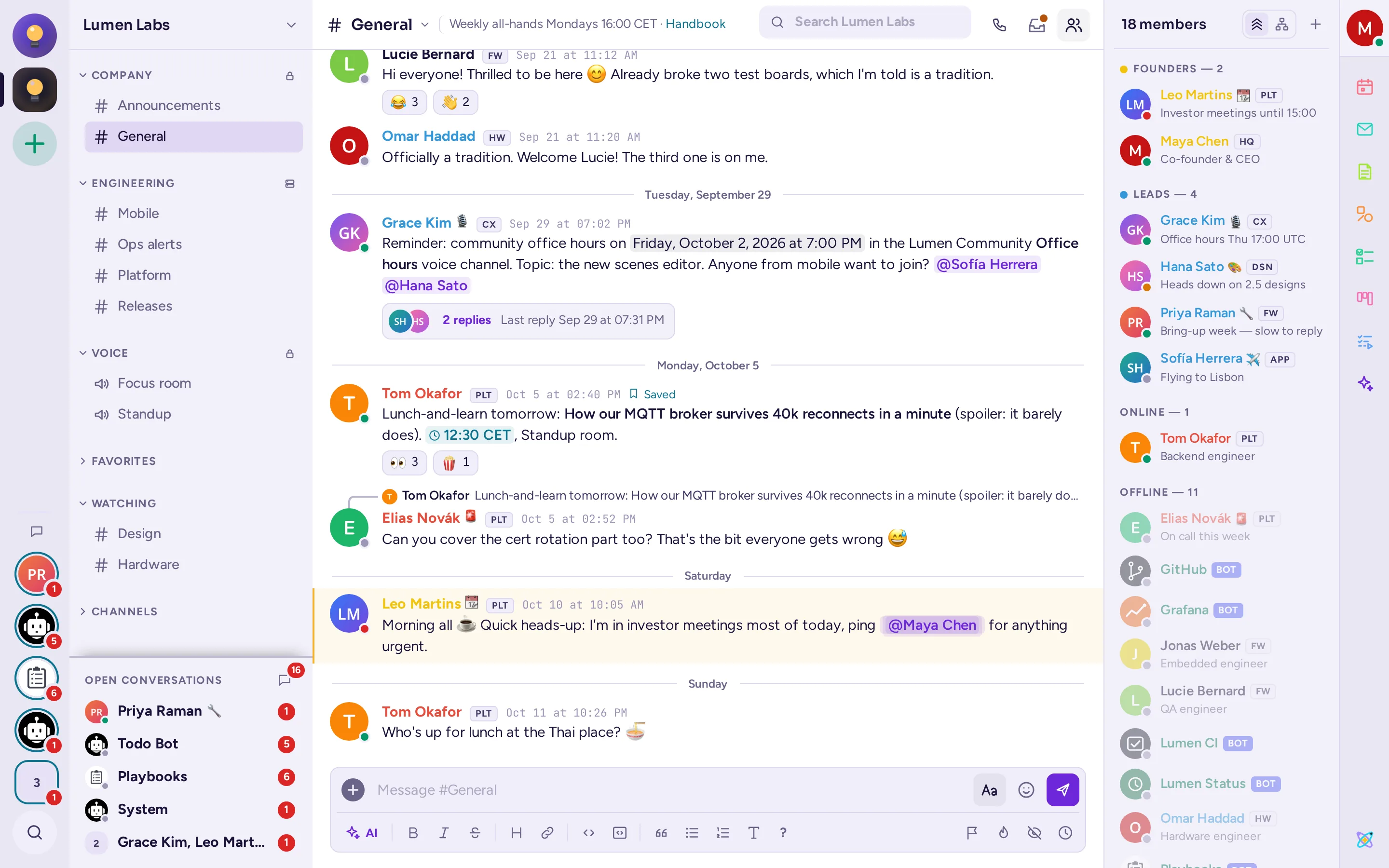
Your conversations stay yours
A chat server holds your team's decisions, files and history. Antimatter keeps them on infrastructure you control, with no vendor deciding which features you may use.
Self-hosted
Run it on your own hardware or cloud, with Docker or a release archive and PostgreSQL. It works fully offline, behind your firewall.
Mattermost's foundations
Built on the Mattermost server, used by large organisations for years: proven message delivery, permissions and scaling.
Enterprise features, no licence needed
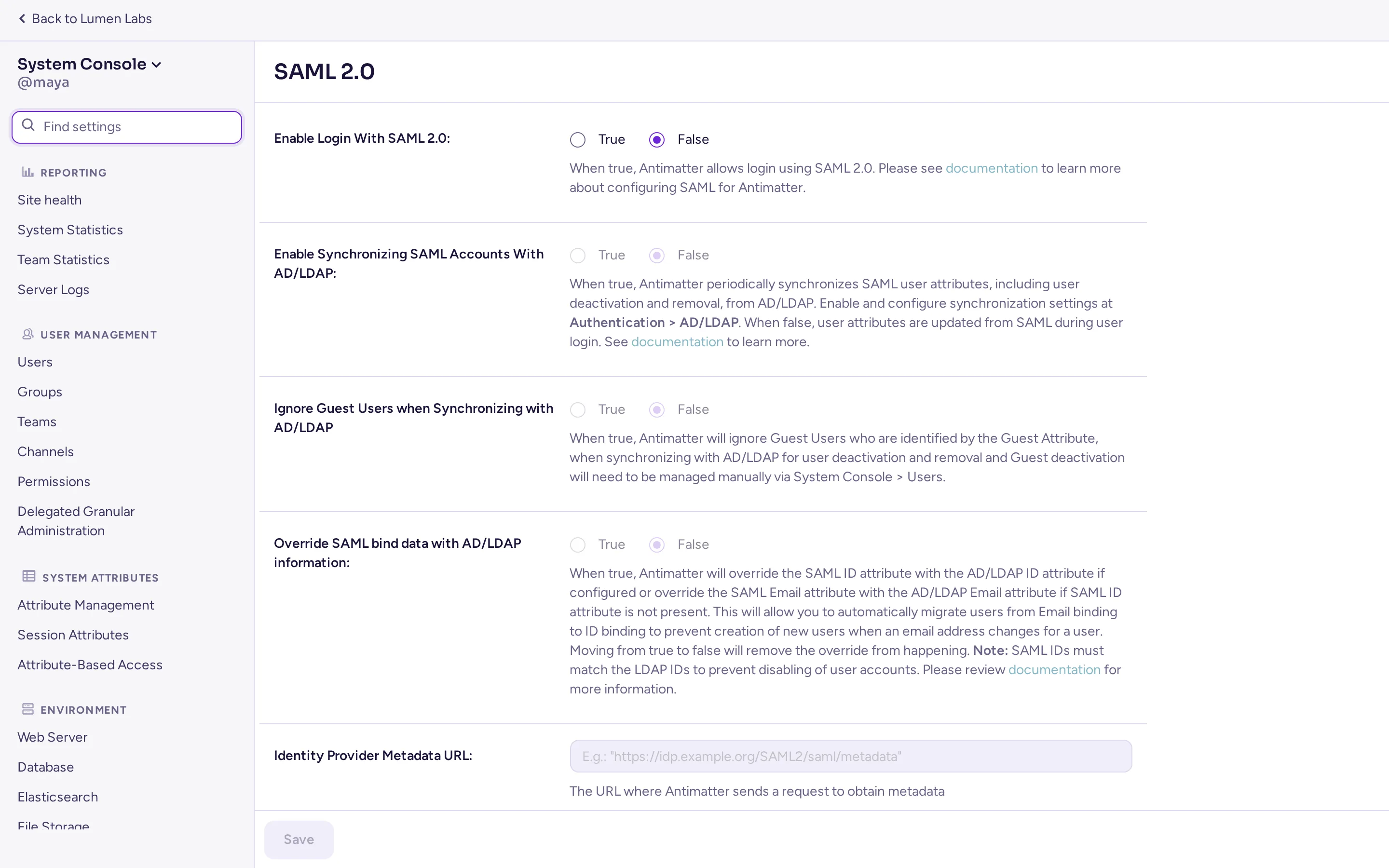
No SSO tax: single sign-on with SAML and OpenID Connect, LDAP sync, data retention, compliance export and more come with every server, for every team.
Open source
The whole server is free software under the AGPL v3.0: read it, audit it, change it, and run it for as many people as you like.
Built on a server that has carried critical work for a decade
Antimatter runs on a mature, open-source server trusted where security matters: dependable message delivery, a stable data model and a documented API, so your deployments and integrations keep working from one version to the next.
- Your identity provider: SAML, OpenID Connect, Google, Microsoft Entra, LDAP and Active Directory sync, and multi-factor authentication.
- Fine-grained access: roles, permission schemes, attribute-based access control, guest accounts and IP filtering.
- Compliance: data retention policies, compliance export, audit logs, classification banners and burn-on-read messages.
- No telemetry: the server sends nothing home. Outside connections only happen for the features you turn on.
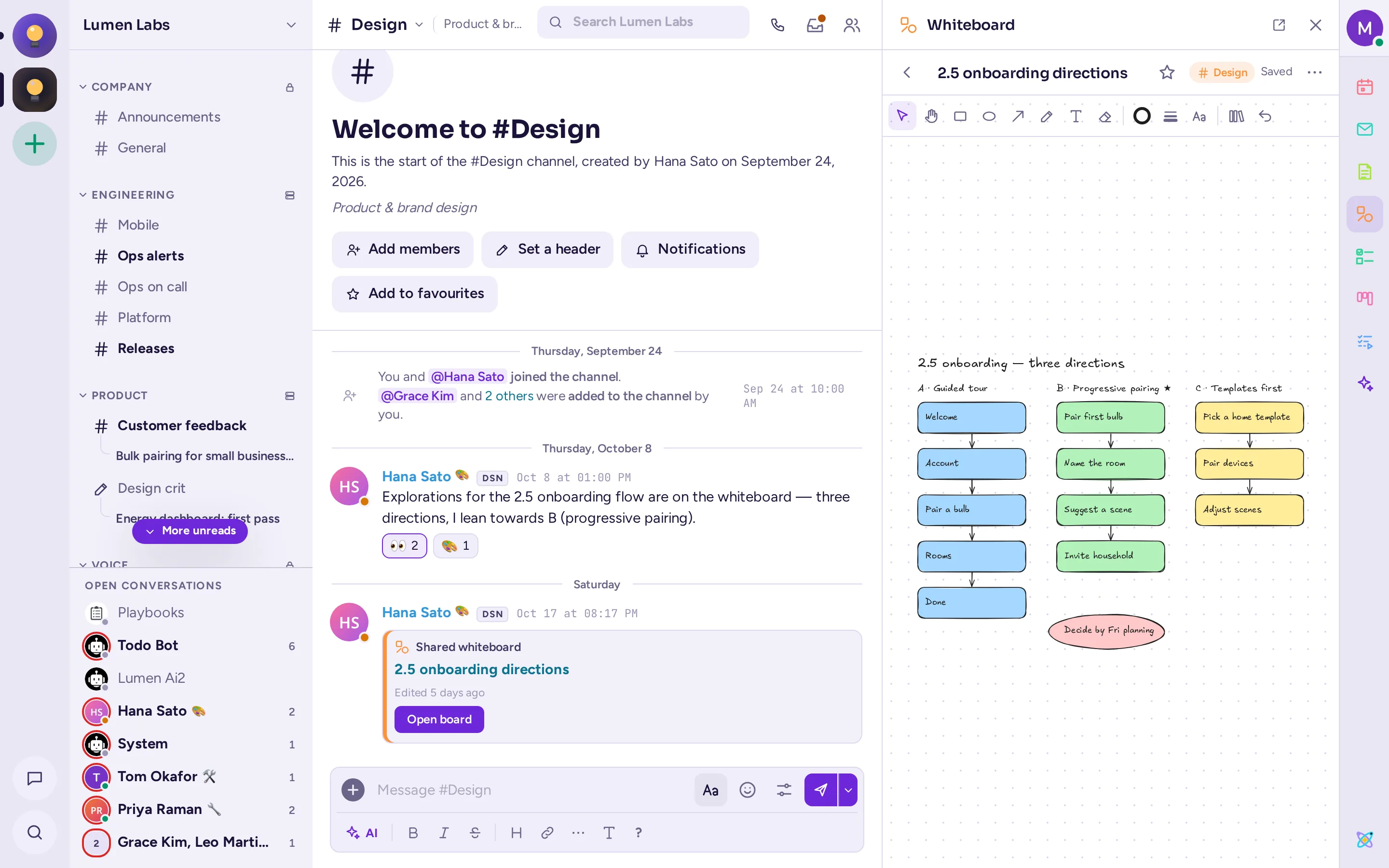
Work together without leaving the conversation
Antimatter's apps open next to the chat, share with a channel in one click, and update live for everyone.
- Notes: collaborative documents, edited together in real time.
- Whiteboards: draw, sketch diagrams and brainstorm on a shared canvas.
- Kanban and Playbooks: boards for projects, checklists for incidents and repeatable processes.
- Todo lists, polls, calendar and mail: tasks, quick decisions, your events and your inbox, beside your team.
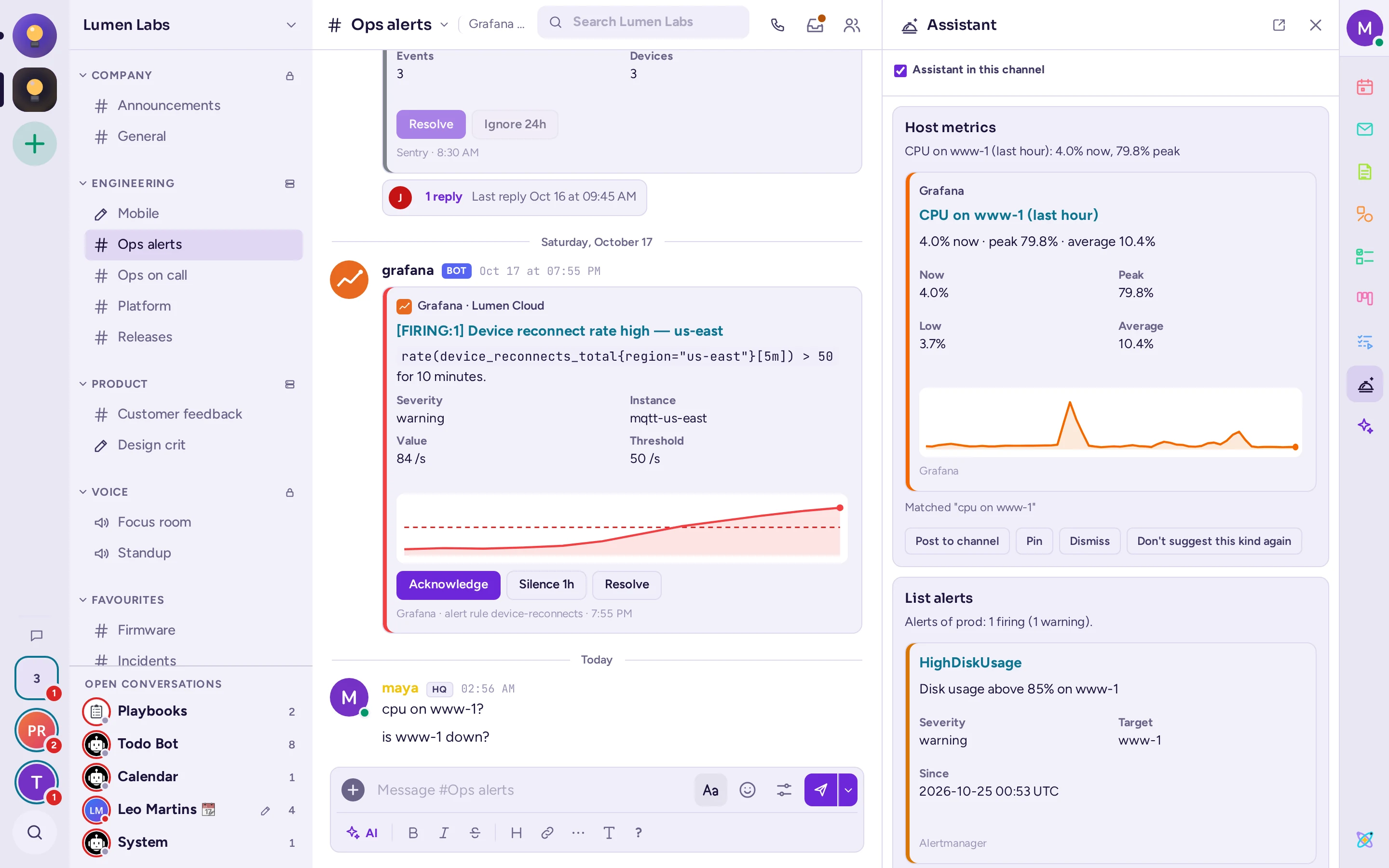
Assistants that work with the models you choose
AI stays in its corner: a button in the composer, an assistant beside the conversation, a summary when you ask for one. It's there when you need a hand, and out of the way the rest of the time. Connect any OpenAI-compatible model, including ones running on your own GPUs, and your data goes nowhere you didn't decide.
- Rewrite and fix a message before sending: clearer, shorter, friendlier, or simply correct.
- Call transcripts and summaries: live captions during calls, then the transcript and a summary in the call's thread.
- The assistant: open it beside a conversation and it brings what the talk needs, such as a host's graphs or its open alerts, without being asked and without notifying anyone.
- Channel summaries and recaps: catch up on what you missed in a few lines.
- Automatic translation of channels, and any message read out loud on request.
Talk as easily as you type
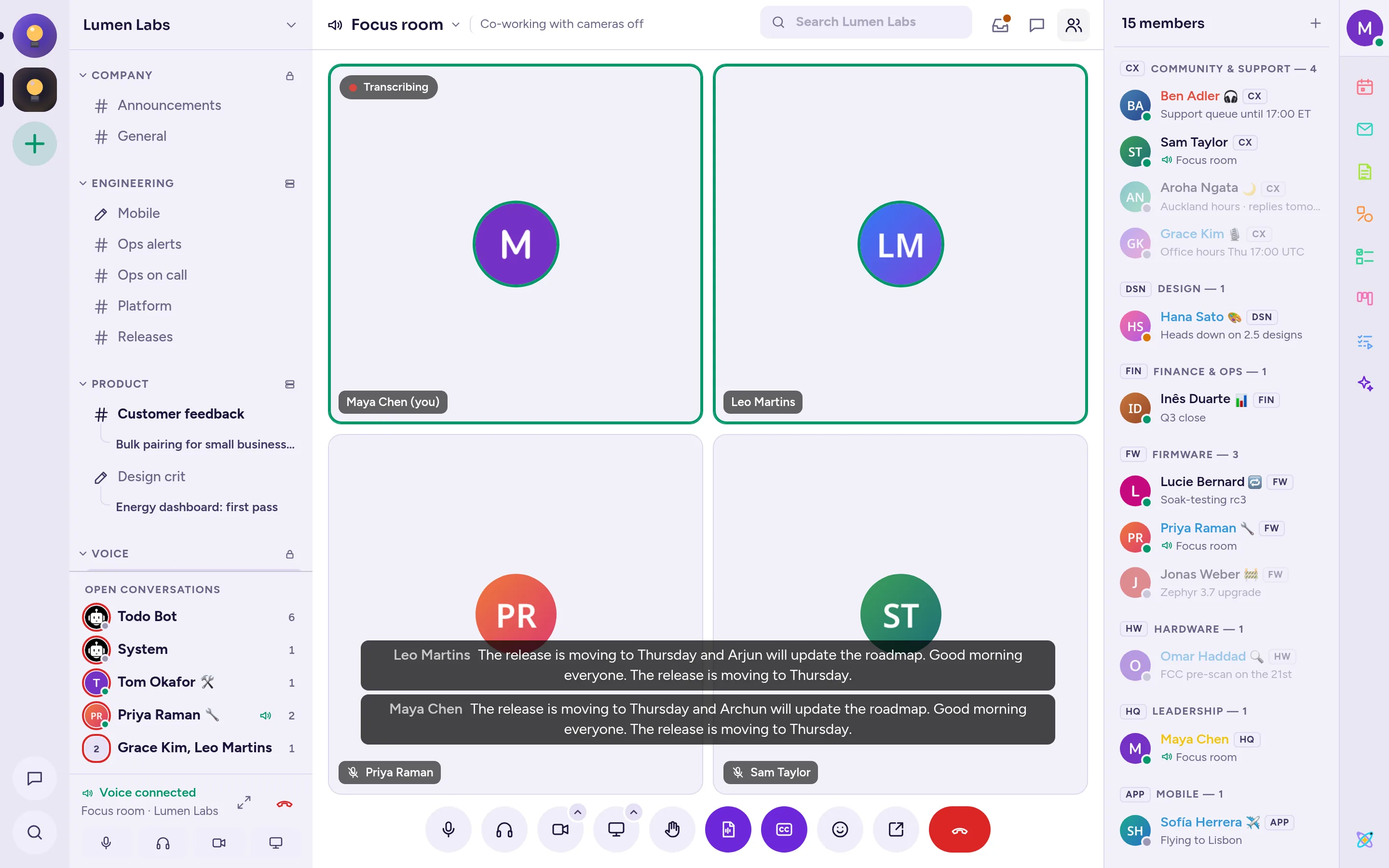
Start a call from any conversation, or drop into a voice channel that is always open, the way your team would walk into a meeting room.
- Voice channels in the sidebar, showing who's there and who's speaking.
- Video and screen sharing with quality presets, background blur and picture-in-picture.
- Raised hands, reactions and per-person volume, push-to-talk and host controls.
- Live captions and transcripts with your own speech-to-text model.
Connected to the tools you already use
A complete REST API, webhooks, bots and plugins bring your other tools into the conversation, and integrations written for Mattermost work too.
- GitHub, GitLab and Jira: notifications, previews and actions in your channels.
- Webhooks, slash commands and bots to connect anything, from CI pipelines to monitoring.
- Interactive messages and dialogs for approvals and forms right in the chat.
- Plugins that add apps, message types, commands and panels.
Details that make every day nicer
Small touches that save a misunderstanding, an interruption or a click.
Time zones, converted
Write "3pm CET" and everyone reads it in their own time zone.
"They may be asleep"
A gentle note before you message someone in the middle of their night, with a "send in their morning" option.
Autolinks
Ticket numbers and other patterns become links as messages are posted.
Acknowledgements
Ask people to acknowledge an important message, and see who did.
Burn on read
Messages that delete themselves once read, for anything sensitive.
Spoilers
Hide a message until people choose to reveal it.
Conversation inbox
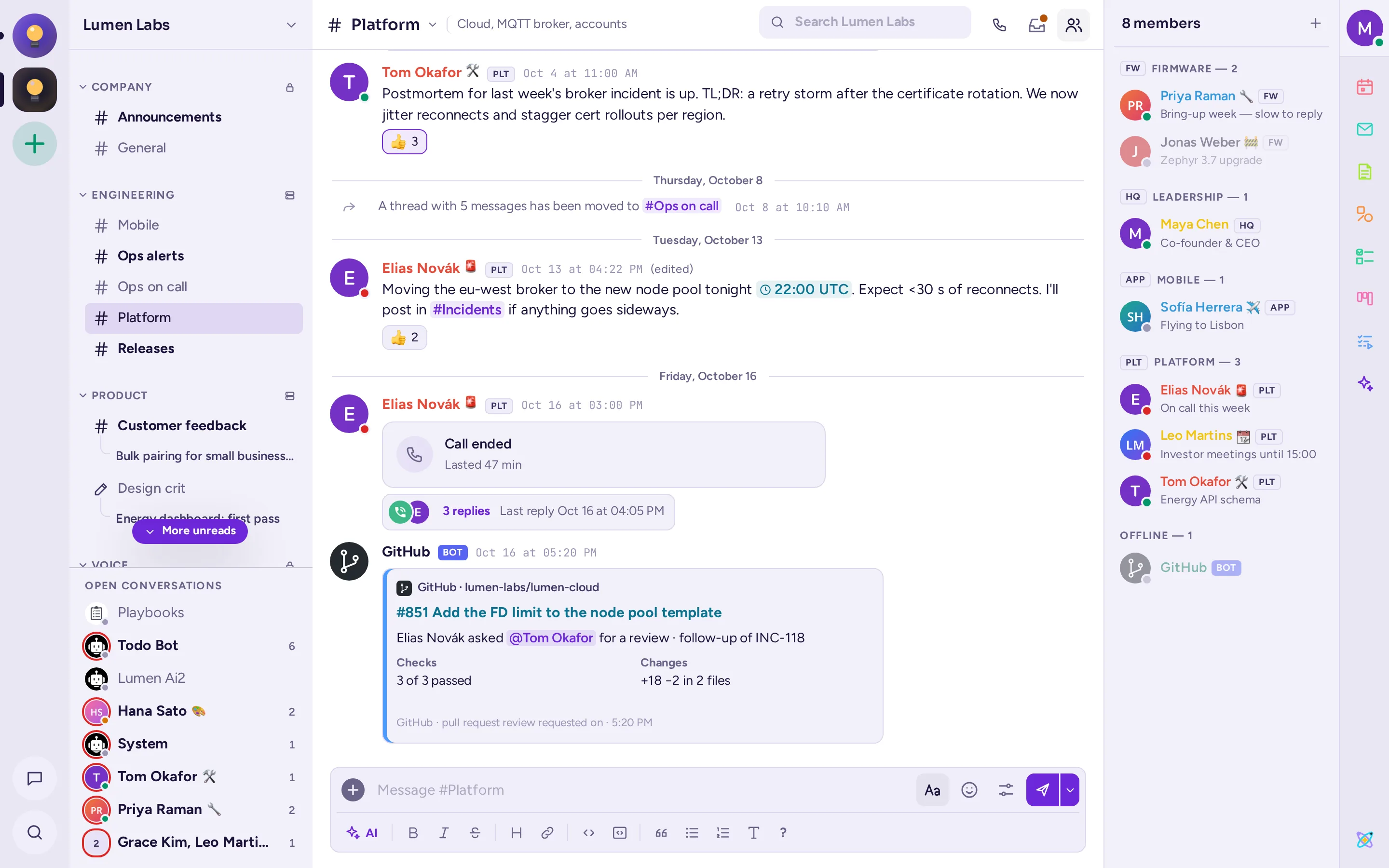
Each conversation's mentions, saved and pinned messages, files and threads, one click away, or the whole community's.
Team badges
Click the badge next to a name to see that person's team, its lead and its channel.
Memes
Pick a template, write the captions, and post a meme without leaving the conversation.
38 languages
The interface speaks your language, right-to-left ones included.
GIFs and stickers
Your own GIF and sticker collections, hosted on your server.
Streamer mode
Hide personal information while you share your screen.
Put on top
Keep an important message above the conversation for an hour, a day, a week or until it's removed.
Channel export
Download a channel's messages as a spreadsheet file.
Private notes on people
Remember who's who, visible only to you.
How does it stack up?
See how Antimatter compares with Slack, Mattermost, Rocket.Chat, Discord, Microsoft Teams and Element, feature by feature.
Up and running in minutes
One compose file brings up Antimatter with its database, its file storage and its GIF service. The first account you create becomes the administrator.
$ cat > .env <<EOF
SITE_URL=http://localhost:8065
POSTGRES_PASSWORD=$(openssl rand -hex 24)
S3_SECRET_KEY=$(openssl rand -hex 24)
GIFS_API_KEY=$(openssl rand -hex 24)
EOF
$ docker compose up -d