 Antimatter
Webhooks
An incoming webhook lets another system post into a channel by sending JSON to a secret URL. An outgoing webhook does the opposite: it sends messages to your URL, those that start with a trigger word or those people pick it for in the message menu, and posts what you answer.
Where to manage webhooks
Open the community menu, then Community settings, and click Integrations at the end of its tabs. The integrations pages of the current community list Incoming webhooks and Outgoing webhooks. Each webhook belongs to one community.
By default, community admins and system admins can create webhooks. A system admin can give the right to other roles in the permission settings of the System Console. A system admin can also turn each kind off in System Console › Integrations › Integration Management: Enable Incoming Webhooks and Enable Outgoing Webhooks are both on by default.
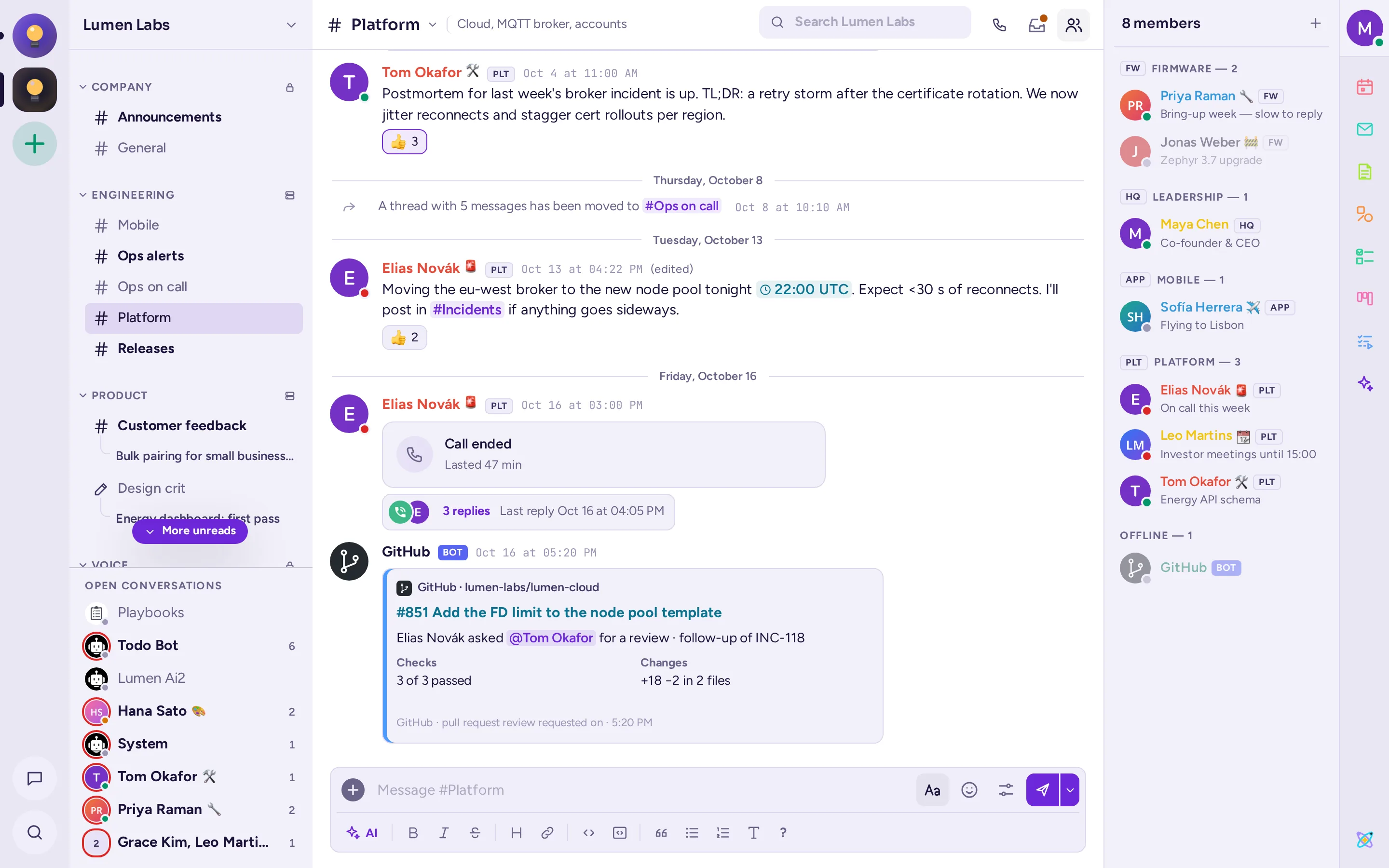
Create an incoming webhook
- In Integrations, choose Incoming webhooks, then Add Incoming Webhook.
- Fill in a Title and a Description: they only show on the integrations pages.
- Pick the Channel the messages go to by default. For a private channel, you must be a member of it.
- Tick Lock to this channel if senders must not be able to post elsewhere.
- Optionally set a Username and a Profile Picture URL for its messages (see Name and icon).
- Choose Save. Copy the URL shown:
https://chat.example.com/hooks/<key>.
With the API: POST /api/v4/hooks/incoming with {"channel_id", "display_name", "description", "username", "icon_url", "channel_locked"}; the response's id is the key. From the command line: amctl webhook create-incoming --channel <channel id> --user <user> --display-name "CI".
Send a message to an incoming webhook
curl -X POST https://chat.example.com/hooks/xgh5ycrx1jf7mbs9w8z4c8e7ho \
  -H 'Content-Type: application/json' \
  -d '{"text": "Deploy of **api 2.4.0** finished :white_check_mark:"}'
The server answers 200 with the body ok. It also accepts application/x-www-form-urlencoded with the JSON in a payload field, as Slack's webhooks do, so tools made for Slack usually work unchanged.
| Field | Meaning |
|---|---|
text | The message, in Markdown. Required unless there are attachments. A text longer than the server's message limit is split into several messages. |
channel | Another channel of the webhook's community, by name (ops-alerts or #ops-alerts), or @username for a direct message from the webhook's owner. Refused when the webhook is locked to its channel. The old name town-square still reaches the community's default channel, now called general. |
username, icon_url, icon_emoji | The name and picture to show, when the server allows overrides. |
attachments | Message attachments, drawn as cards (below). |
props | Extra properties stored on the message, for apps that read them. Posting into a forum channel needs props.am_thread_title (1 to 100 characters): the hook is refused without one (see Forums take only topics). |
type | A custom post type, such as custom_poll, for an app that draws it. Types starting with system_ are refused. |
root_id | The ID of a thread's first message, to reply in that thread. |
priority | Message priority, for example {"priority": "urgent"}. |
silent | true sends the message without push notifications. |
Every message a webhook posts carries a BOT tag next to its name, even when it shows under its creator's name, so people can tell it from a real person's message. Webhook messages never trigger outgoing webhooks.
Name and icon
A webhook posts as the person who created it, unless the server allows overrides. Two settings in System Console › Integrations › Integration Management, both off by default, change that:
- Enable integrations to override usernames (
ServiceSettings.EnablePostUsernameOverride): the webhook's Username or the request'susernameis shown instead; without either, the name iswebhook. - Enable integrations to override profile picture icons (
ServiceSettings.EnablePostIconOverride): the webhook's Profile Picture, or the request'sicon_urloricon_emoji, is shown.
A value in the request wins over the one saved on the webhook.
Attachments
Attachments add structured content below the text. They follow Slack's message attachment format:
{
  "text": "Build failed on `main`",
  "attachments": [{
    "fallback": "main #1902 failed",
    "color": "#d24b4e",
    "author_name": "GitHub Actions",
    "author_icon": "https://chat.example.com/static/ci.png",
    "title": "main #1902 failed",
    "title_link": "https://ci.example.com/runs/1902",
    "text": "Commit `0f4d8e2` by Jonas Weber",
    "fields": [
      {"title": "Branch", "value": "zephyr-3.7", "short": true},
      {"title": "Duration", "value": "3m 40s", "short": true}
    ],
    "footer": "Lumen CI",
    "ts": 1760000000
  }]
}| Field | Meaning |
|---|---|
fallback | Plain text for places that can't show the card, such as notifications. |
color | The colour bar: a hex colour, or good, warning, danger. |
pretext | Text above the card. |
author_name, author_link, author_icon | A small header line. |
title, title_link | The card's title, optionally a link. |
text | The card's body, in Markdown. |
fields | A list of {"title", "value", "short"}; short fields sit side by side. |
image_url, thumb_url | A large image below, or a small one at the side. |
footer, footer_icon, ts | A footer line and a time (Unix seconds). |
actions | Buttons and menus: see Interactive messages. |
Cards: stages and charts
Antimatter adds two fields to attachments, drawn by the default interface:
stages: a pipeline's steps as pills, up to 20. Each is{"name", "status"}, with a status ofpassed,failed,running,pending,skippedorcanceled.chart: a small line chart of recent values,{"values": [2 to 200 numbers], "threshold": number, "label": "…"}. The threshold is drawn as a dashed line, for an alert's limit.
{
  "attachments": [{
    "color": "danger",
    "title": "main #1902 failed",
    "stages": [
      {"name": "build", "status": "failed"},
      {"name": "unit", "status": "skipped"},
      {"name": "publish", "status": "skipped"}
    ]
  }, {
    "color": "warning",
    "title": "API latency above 400 ms",
    "chart": {"values": [210, 230, 260, 390, 450, 470], "threshold": 400, "label": "p95 latency, ms"}
  }]
}
The classic interface and other clients ignore these two fields, so put the essentials in text or fields too.
Create an outgoing webhook
An outgoing webhook watches the public channels of a community. It sends a message to your URL either when the message's first word matches one of its trigger words, or when someone picks it in the message's menu (a message action).
- In Integrations, choose Outgoing webhooks, then Add Outgoing Webhook.
- Fill in the Title and Description.
- Choose the Content Type of the request:
application/x-www-form-urlencodedorapplication/json. - Pick a Channel, enter Trigger Words (One Per Line), or both. With a channel and no trigger words, every message of that channel is sent. With both, the message must match both.
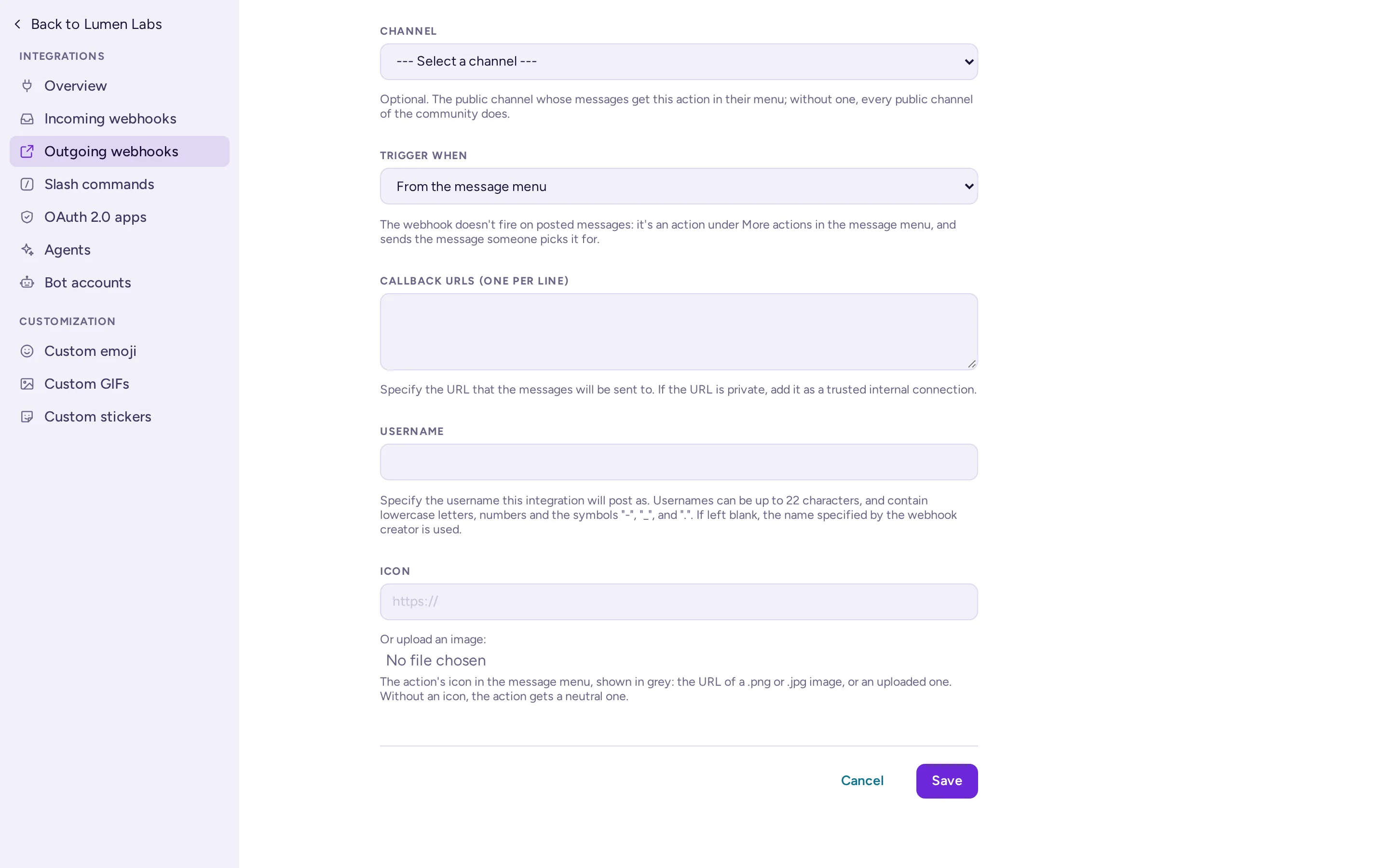
- Under Trigger When, choose First word matches a trigger word exactly, First word starts with a trigger word, or From the message menu. With From the message menu, the trigger words disappear, the Channel is optional (without one, the action is offered in every public channel of the community), and the Title is required: it is the action's name in the menu.
- Enter the Callback URLs (One Per Line). Each URL gets every matching message.
- Optionally set the Username and Profile Picture used for replies. For an action from the message menu, the Icon field replaces Profile Picture: the URL of a .png or .jpg image or, in Antimatter's default interface, an uploaded image. The menu shows it in grey; without one, the action gets a neutral icon.
- Choose Save and copy the token shown. Your service uses it to check that requests come from your server.
With the API: POST /api/v4/hooks/outgoing with {"team_id", "channel_id", "trigger_words", "trigger_when", "callback_urls", "content_type", "display_name"} (trigger_when: 0 for an exact match, 1 for "starts with", 2 for "from the message menu"). A webhook with trigger_when 2 takes no trigger words and needs a display_name. Upload its icon with POST /api/v4/hooks/outgoing/{hook_id}/icon (multipart, field image: PNG, JPEG or GIF, stored as a 128 px PNG); its icon_url then points at GET /api/v4/hooks/outgoing/{hook_id}/icon.
ServiceSettings.AllowedUntrustedInternalConnections). The server doesn't call private addresses otherwise.The outgoing request
Antimatter sends a POST with these fields, as JSON or form-encoded depending on the content type:
{
  "token": "6kd1ofo5ojr5zgu5ipfipybgnc",
  "team_id": "…",
  "team_domain": "lumen-labs",
  "channel_id": "…",
  "channel_name": "ops-alerts",
  "timestamp": 1760010000000,
  "user_id": "…",
  "user_name": "priya",
  "post_id": "…",
  "text": "deploy api 2.4.0",
  "trigger_word": "deploy",
  "file_ids": ""
}
Compare token with the webhook's token before doing anything. In the form-encoded version, timestamp is in seconds rather than milliseconds. The server waits for your answer for as long as Integration request timeout allows (30 seconds by default, ServiceSettings.OutgoingIntegrationRequestsTimeout).
Reply to an outgoing webhook
To post a reply, answer with JSON. To post nothing, answer with an empty body.
{
  "text": "Deploying **api 2.4.0** to staging…",
  "response_type": "comment",
  "username": "deploy-bot",
  "icon_url": "https://chat.example.com/static/deploy.png"
}textandattachments: the reply. Without either, nothing is posted.response_type:commentposts the reply in the triggering message's thread; otherwise it goes to the channel.username,icon_url: shown when the server allows overrides; the webhook's own values are used otherwise.props,type,priority: as for incoming webhooks.
The reply is posted as the webhook's creator, under the overridden name when there is one. For anything longer than a quick answer, answer at once and post later with an incoming webhook or the API.
Message actions
A message action is an outgoing webhook with Trigger When set to From the message menu. It never fires on posted messages. Instead, people see it in a message's menu: Message actions (⋯) › More actions, under the Integrations heading, with its icon. The classic interface doesn't show message actions. Picking it sends that one message to the callback URLs, and a short notice says Sent to the action's name, or shows your ephemeral_text.
- Where it shows: in the webhook's channel, or, without a channel, in every public channel of its community. Only public channels have message actions.
- Guests only get the actions bound to a channel they are in, not the community-wide ones.
- Archived and read-only channels: the message can still be sent. Archiving a channel deletes the webhooks bound to it, so an archived channel keeps only the community-wide actions. An answer the person couldn't post there is shown to them alone.
- Rate limit: each person can run 10 message actions a minute, after a burst of 5. Above that, the server answers
429. - Private networks: as for other outgoing webhooks, internal addresses must be allowed in Allow untrusted internal connections to.
The request
The payload is sent as JSON or form-encoded, as the webhook's content type says:
{
  "token": "6kd1ofo5ojr5zgu5ipfipybgnc",
  "trigger": "message_action",
  "team_id": "…",
  "team_domain": "lumen-labs",
  "channel_id": "…",
  "channel_name": "ops-alerts",
  "timestamp": 1760010000000,
  "user_id": "…",
  "user_name": "priya",
  "post_id": "…",
  "post_root_id": "",
  "post_create_at": 1760009000000,
  "post_user_id": "…",
  "post_user_name": "jonas",
  "permalink": "https://chat.example.com/lumen-labs/pl/…",
  "text": "The staging database is full again",
  "files": [{"id": "…", "name": "df.txt", "link": "https://chat.example.com/api/v4/files/…"}],
  "priority": "",
  "requested_ack": false,
  "burn_on_read": false
}user_idanduser_nameare the person who picked the action;post_user_idandpost_user_namethe message's author.- Only that message is sent, never the rest of its thread.
fileslists the message's files only when the person who picked the action may download them. Downloading alinkneeds a session or a token, like any file of the API.- A burn-on-read message is sent without its text and files, with
burn_on_readset totrue. - Form-encoded, the files come as repeated
file_id,file_nameandfile_linkfields, in the same order.
The answer
Answer as for any outgoing webhook (see Reply to an outgoing webhook): text or attachments posts a reply in the channel, and "response_type": "comment" posts it in the message's thread. You can also answer with ephemeral_text (cut to 300 characters): it is shown to the person who picked the action alone, in the notice. An empty body posts nothing.
{"ephemeral_text": "Ticket OPS-412 created"}With the API
GET /api/v4/channels/{channel_id}/message_actions: the actions you may pick in a channel, withid,display_name,descriptionandicon_url. Neither tokens nor callback URLs are returned.POST /api/v4/posts/{post_id}/message_actions/{hook_id}: runs an action on a message you can read. It answers{"ephemeral_text"}.
When a webhook doesn't work
- 501 from the hook URL: incoming webhooks are turned off on the server.
- 400 "Failed to decode the payload…": the JSON is invalid, or the form field isn't named
payload. "No text specified." means the request has neithertextnorattachments. - 403: the webhook is locked to another channel, or its owner can no longer read the channel.
- An outgoing webhook never fires: the channel is private, the trigger is not the first word, the message came from a webhook, or the webhook is set to trigger From the message menu.
- A message action isn't in the menu: the channel is private, the action is bound to another channel, the person is a guest and the action has no channel, or outgoing webhooks are turned off.
- 404 when running a message action: the action doesn't exist, or it doesn't cover that message's channel for that person. 429: the person ran more than 10 actions in a minute. 502: none of the callback URLs could be reached (the log has the reason).
- A post into a forum is refused: the hook's message needs a title (
props.am_thread_title); the error names the reason, such asapp.post.forum.title_required.app_error, instead of a generic failure (see Channel types). - Logs: with Enable Webhook Debugging on (
LogSettings.EnableWebhookDebugging), and the log level atDEBUG, the server logs the payloads of failed incoming requests. Failed outgoing calls are logged asOutgoing Webhook POST failed.